How do public profiles work?
What is a Public Profile?
Your public profile is a shareable, professional-looking page that showcases parts of your collection. It’s perfect for showing off prized cards, organizing items for trade, or creating a clean list of everything you have for sale.
How to Share a Collection
To publicly share a specific collection (like Pokémon, MTG, or Funkos), follow these steps:
- Go to your Dashboard > Collections.
- Click the gear/settings icon on the collection you want to share.
- Change the Visibility option to Public.
- Choose your Sharing Mode — Share or Seller (see below).
- Click Save.
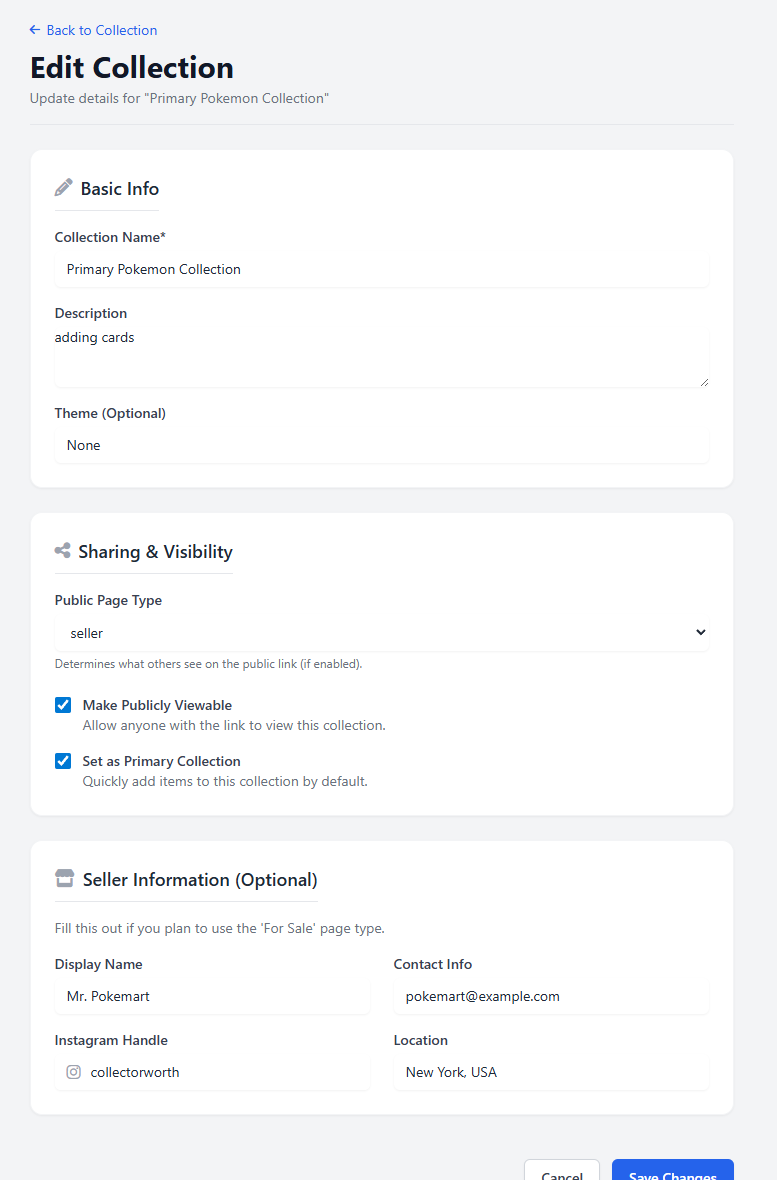
Share vs Seller Mode
When making a collection public, you can choose between two modes:
-
🔗 Share Mode:
- Creates a public link you can give to friends, buyers, or community members.
- Only basic item info (card name, condition, grade) is shown.
- No pricing is shown.
- Best for showcasing or trading collections.
-
💰 Seller Mode:
- Designed for collectors who want to list items for sale.
- Displays the selling price you’ve set for each item.
- Great for sharing on Discord, Facebook groups, or local meetups.
- You can update prices directly in your Collection Dashboard.
Important: CollectorWorth is not a marketplace — we do not handle payments, shipping, or take any commission. Sharing your collection is a tool for peer-to-peer communication only. All deals are made directly between you and the buyer.
Examples & Tips
- 📎 Trading with friends? Use Share Mode to let them see what you’ve got.
- 💸 Selling on Discord or Instagram? Use Seller Mode and drop your custom link in your bio or profile.
- 📱 Keep it mobile-friendly: All public profiles and shared collections are optimized for mobile devices.
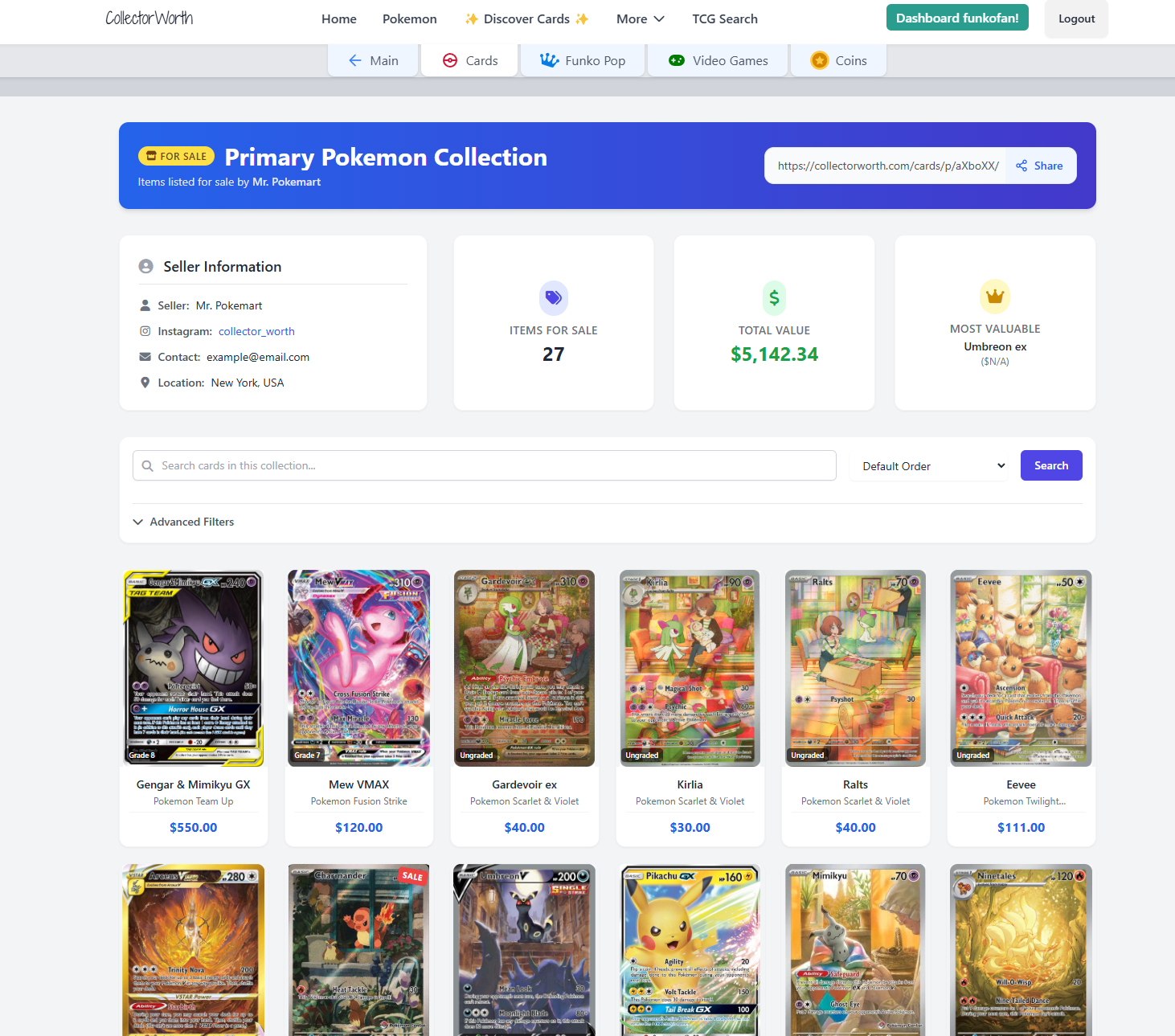
You can enable or disable sharing at any time — and you’re always in control of what others see.